
THE PUNCH LIST / LEADS & FOLLOW-UP
Does a small contractor really need a CRM?
The straight answer
Yes, if you ever lose track of someone who asked for a quote — and every contractor without one does. A CRM is simply the list of everyone who contacted you, from where, what they wanted, and what happened next, with a reminder attached to the ones that went quiet. It is how a two-truck company answers the quote from Tuesday, follows up on the estimate from last month, knows which channel produced the jobs, and asks for the review on the right day. It does not need to be complicated; it needs to be the one place everything goes, and it needs to be used.
The Punch List / What to do, in order
- Pick one place every inquiry goes — call, form, text, marketplace, referral — and make it the rule. A simple pipeline: new, contacted, quoted, won, lost.
- Capture the source on every lead: which search, which ad, which platform, which referral. This is the number every other decision is made from.
- Set a reminder on every open quote. The estimate that went quiet is followed up on a schedule until the customer answers or asks you to stop.
- Connect the website form and the phone to it, so a lead is logged the moment it arrives, not when somebody remembers.
- Add the review request as a step: job closed, text sent with the link, same day.
- Look at it every Monday: what is open, what went quiet, cost per booked job by source. Fifteen minutes.
- Keep it simple enough that the crew will use it. A CRM nobody updates is a spreadsheet with a subscription.
What a CRM actually is
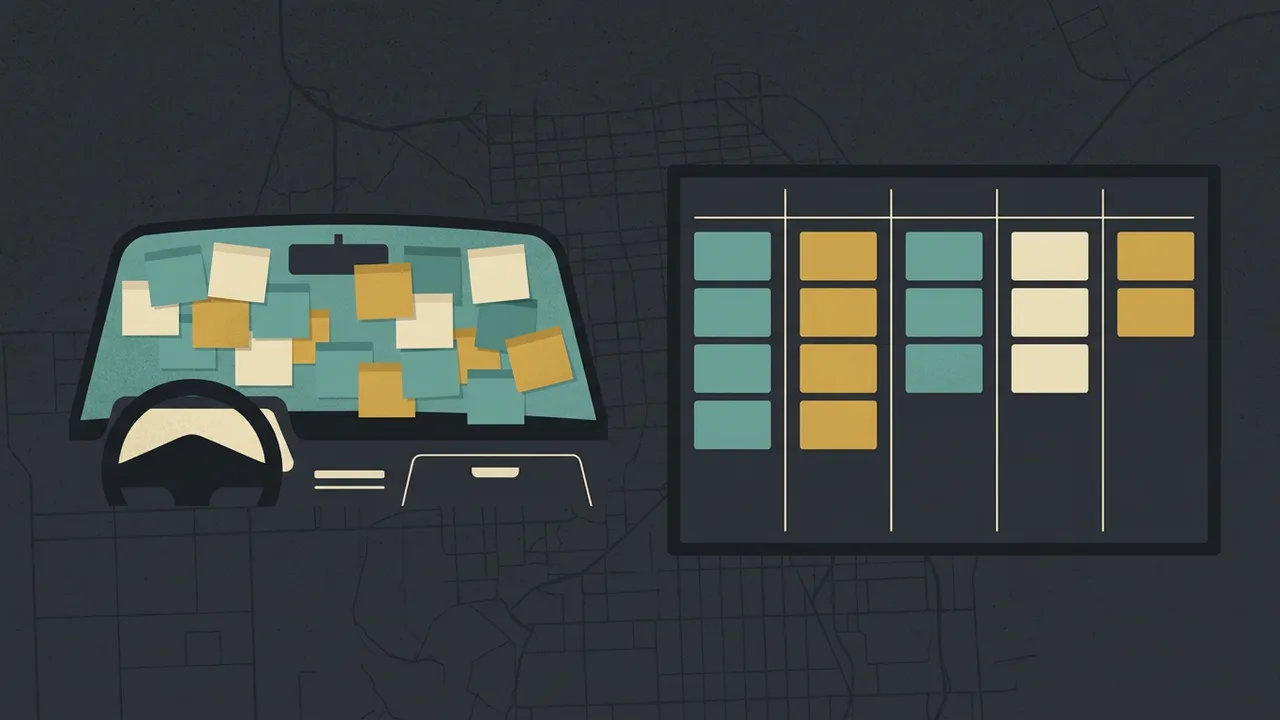
Strip the software away and a CRM is a list: every person who ever contacted the business, how they found you, what they wanted, what you quoted, what happened, and when to follow up. The sticky notes on the dash, the texts on the owner’s phone, the emails in three inboxes and the quotes in the estimator’s truck are a CRM too — scattered across five places, unreadable to anyone but the person holding each piece, and losing jobs every week.
The software’s only job is to be the one place. Everything else — automation, dashboards, integrations — is built on that. A contractor who is not sure they need one usually means they are not sure they need the software. They need the list; the question is whether the list lives somewhere the whole business can see it.
What a small company loses without one
- The quiet quote. An estimate sent, no reply, no follow-up, because following up is the task that always slips. The customer hired whoever called back.
- The second call. A homeowner who called on Tuesday about a leak and got voicemail, and nobody knows she called, because the missed call is only on one phone.
- The source. Which channel produced the jobs this quarter — the ads, the profile, the marketplace, referrals — is a guess, so the marketing budget is a guess too.
- The review. Asked for when someone remembers, which is never, instead of on the day the job closed.
- The repeat. The customer from three years ago who needs the same job again and has no idea you are still in business, because nobody has her number in a form anyone can use.
- The handoff. The day the owner is sick, nobody can answer “where are we with the Hendersons?”
Each of these is a job. A two-truck company losing one a month to any of them is losing more than the software costs by a wide margin.
What it needs to do, and what it does not
It needs to: take every lead automatically from the website form, the phone and the text line, with its source; hold a simple pipeline; set follow-up reminders; log calls and notes; send the review request; and show cost per booked job by source. It needs to work on a phone in a truck.
It does not need to: run your invoicing (unless it also does that well), manage your inventory, replace your scheduling software, or have a hundred fields nobody fills. The most common way a CRM fails is by doing too much and being abandoned. The second most common is by being a place leads are entered by hand, which means they are not.
Tool choice matters less than the rule that everything goes in it. A simple pipeline tool used daily beats an enterprise platform used never. For a trade with scheduling needs, the field-service platforms include a CRM; for a business that just needs the list and the follow-up, something simpler is better.
Where the automation goes once the list exists
A CRM that has every lead in it, with its source and its status, is the thing that makes automation possible. The form is answered within a minute with the qualifying questions and an appointment offered. The missed call gets a text back in seconds. The quote that has been quiet for three days gets a follow-up, and again at seven, and again at fourteen, until the customer answers. The review request goes out the day the job closes. The lead that came from the Google ad is tagged so the ad account learns which clicks became jobs.
None of that is possible on sticky notes, and all of it runs on the list. That is why the CRM is the first thing we set up on a lead-generation engagement — before the ads, before the SEO — and why the AI automation layer is built on top of it rather than beside it, with the guardrails written down: the assistant introduces itself as an assistant, invents no prices or promises, hands anything it cannot answer to a person, and posts nothing in your name without approval.
How to start in a week
- Day one: choose the tool, create the five-stage pipeline, and enter every open quote you can find. That alone will surface the ones that went quiet.
- Day two: connect the website form so submissions land in it with their source. Connect the business phone if the tool supports it; if not, make logging the call the rule.
- Day three: set the follow-up cadence — three days, seven, fourteen — as reminders on every quote.
- Day four: add the review-request step and the text template with the link.
- Day five: show the crew and the office the one rule: nothing exists unless it is in here.
- Monday: the first fifteen-minute review. What is open, what is quiet, what came from where.
Want it done instead?
We set up the CRM first, connect the site and the phone to it, and put the follow-up on autopilot.
Every lead from the website, the phone and the ads lands in one pipeline with its source. The form is answered within a minute, the missed call gets a text back, the quiet quote is followed up on a schedule, and the review request goes out the day the job closes — with the guardrails in writing and nothing posted in your name without approval.
Layer 08 / AI in the business
AI Automation
Instant lead response, missed-call text-back, follow-up that does not quit, review requests — all running on the CRM.
The ai automation layerLayer 09 / The product
Lead Generation
Every exclusive lead lands in the CRM with its source, so the cost per job is a number.
The lead generation layerFAQ / Answers
Questions people also ask
What is the best CRM for a small contractor?
The one the business will actually use: it takes every lead automatically from the form and the phone with its source, holds a simple pipeline, sets follow-up reminders, sends the review request, works on a phone, and shows cost per booked job by source. A simple tool used daily beats a large platform used never. Trades with scheduling needs often get a CRM inside their field-service software.
Do I need a CRM if I only have a few customers a month?
Yes — small volume makes each lost one cost more. A CRM is the list of who asked, what they wanted and what happened next, with a reminder on the ones that went quiet. At a few jobs a month, one quote lost to a forgotten follow-up is a meaningful share of the month.
Can a spreadsheet work as a CRM?
For a while, if it is the one place everything goes and someone keeps it. It will not take leads automatically from the form and the phone, will not remind anyone to follow up, and will not send the review request, which is where the jobs are won and lost. Most businesses that start on a spreadsheet move off it the first time a quiet quote is found too late.
What should a contractor track in a CRM?
For every inquiry: the source (which search, ad, platform or referral), what they wanted, the quote, the stage (new, contacted, quoted, won, lost), the follow-up dates, and the outcome. From that comes the one number that runs the marketing — cost per booked job by source — and the review request on the day the job closes.
Read next / The Punch List
More answers.
Leads & follow-up / 5-minute read
Are Angi, Thumbtack and HomeAdvisor leads worth it?
How the shared-lead marketplaces work — one inquiry sold to several contractors, paid for whether or not you win — when they make sense, and the alternative.
Read the answer
SEO / 5-minute read
How do I get more Google reviews — and what do I do about a bad one?
The ask that works — same day, by text, with the direct link — the reply routine, what Google’s policy forbids, and the calm way to answer a one-star review.
Read the answer
Your website / 5-minute read
Why does my website get traffic but no calls?
Either the wrong people are arriving or the right people cannot act. How to tell which in Search Console, the ten conversion fixes in order, the monthly test.
Read the answerNEXT STEP
See what Google and the AI engines say about you — in a minute.
Tell us your trade and your city. Before we call, we check what the engines answer and who takes the calls today — so the first call is a straight answer on whether your market still has room.